Home
Gross volume
$48,214.90
Payments
1,082
Net volume
$47,602.50
Refunds
$612.40
Payment volume
Needs attention
Payments requiring action2
Disputes awaiting evidence1
Payout on the way$3,891.20
Flint is an AI-native payments API with orders, tax, inventory, shipping, and returns on one record, so your team ships your product instead of the plumbing around it.
3.79% + 35¢ on cards · no monthly fee · free sandbox · no credit card
Grow past payments, and every other line is code you build, run, and get paged for.
The backlog you would build around a payment:
Each one is another company to manage and another way for a sale to break.
An incident ticket for paid order 1043, which never shipped, passes from the shipping app to the cart app to payments and lands on you.
Every line lives on one order the API writes as it happens. No order tables, sync jobs, or plugins to chase.
Charge a card with one call, and add orders, stock, shipping, and returns when you need them, on the same API and keys, with nothing to migrate.
Build on the whole order before your first agent needs it.
Switch any step on or off.
It finds the order, prices the refund to the item and its tax, and waits for your approval before the money moves.
You
Maya says the dripper on order 1043 arrived cracked. Refund it.
An agent reading a charge
{ "metadata.order_number": "1043" }ch_3kmn0aExample · amount 5304 · currency usd
status succeeded · amount_refunded 0
Agent
I found a $53.04 charge for order 1043 that went through. It doesn't list what was in the order, so I can't tell what the dripper cost or its share of the tax. How much should I refund?
Illustration: the same request when the agent can only read a charge-first payments API.
An agent reading a Flint order
{ "order_number": "1043" }ord_1kmn0aExample · payment_status paid · fulfillment_status fulfilled
{ "order_id": "ord_1kmn0aExample" }line_items[1] Ceramic dripper · subtotal_money $24.00 · tax_money $1.98
fulfillment_status fulfilled · refund_status none
Agent
The dripper is one line on the order: $24.00 plus $1.98 tax. It shipped Sep 23 and nothing has been refunded, so the refund is $25.98.
{
  "order_id": "ord_1kmn0aExample",
  "reason": "defective_product",
  "line_items": [
    { "order_line_item_id": "li_1kmn0aExample", "quantity": 1 }
  ],
  "_flint": { "live": true }
}
CONFIRMATION_REQUIRED · sensitive write in live mode
refunds.create is a sensitive write
Refund $25.98 to Maya's Visa ending 4242? The dripper and its tax share come back; the rest of the order stays paid.
{
  "order_id": "ord_1kmn0aExample",
  "reason": "defective_product",
  "line_items": [
    { "order_line_item_id": "li_1kmn0aExample", "quantity": 1 }
  ],
  "_flint": { "live": true, "confirm": true }
}
201 · status succeeded · amount_money $25.98
refund_status partially_refunded
Agent
Refunded $25.98 to Maya's Visa. The order shows the dripper refunded with its tax, and the rest is still paid.
A scripted session on the Cedar & Stone demo store, with the Flint CLI's MCP tool names and fields in live mode. No money moves.
Flint is AI-native: agents get 568 commands over MCP, each with safety flags, and your coding agent reads the docs over MCP too.
Create a sandbox from your terminal
Add Flint's tools to Claude Code
The server runs on your machine with your key, and the key never appears in the agent’s tool calls.
flint schema commands · refunds.create
MCP servers and agent permissions · Sell online with AI · OpenAPI spec
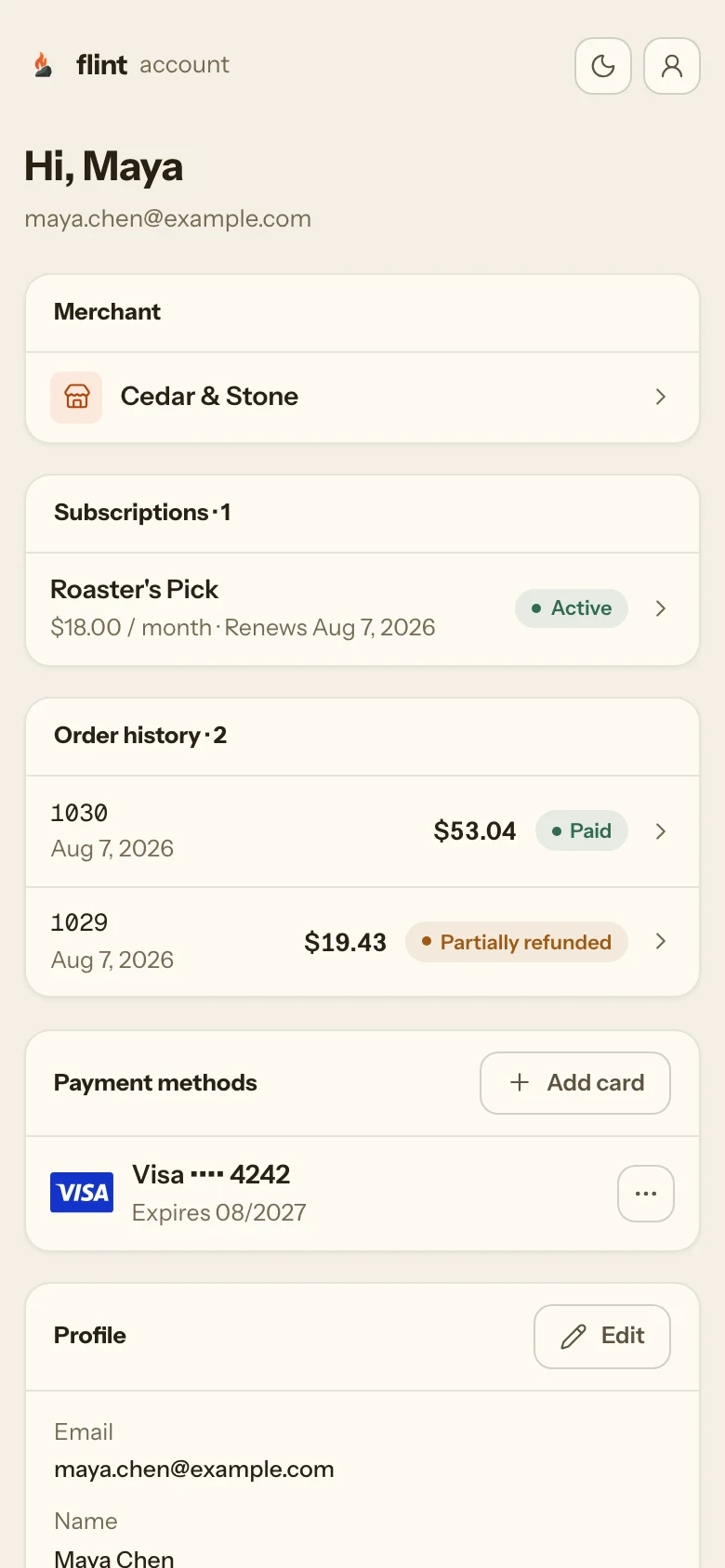
Orders, refunds, and payouts in one dashboard. Buyers pay and track orders on pages Flint hosts under your name.
Hosted checkout · Buyer accounts · Payment links · Subscriptions · Invoices
Take over checkout and keep our buyer account, or the other way around. Whichever pages are yours, the orders, customers, and history stay in one place.
POST /v1/checkout-sessions{ "order_id": "ord_1kmn0aExample", "surface": "embedded" }Checkout, payment links, and invoice pages under your business name from the first order, with nothing to build.
Your colors, fonts, corners, and logo, on your own domain as an add-on. The buyer account wears them too.
Your markup on your domain, with no Flint mark. Stripe renders the card fields inside your page, and Flint still computes the total and takes the payment.
The headless storefront guide covers owning the checkout and the buyer account.
Plain HTTP and JSON, a typed Node SDK, or the CLI. Your coding agent reads the docs over MCP while it writes the calls.
# 1. the order: line items in, totals computed
curl -X POST https://api.withflintpay.com/v1/orders \
  -H "Authorization: Bearer YOUR_API_KEY" \
  -d '{ "line_items": [ ... ] }'

# 2. a hosted page over that order
curl -X POST https://api.withflintpay.com/v1/checkout-sessions \
  -H "Authorization: Bearer YOUR_API_KEY" \
  -d '{
    "order_id": "ord_1kmn0aExample",
    "redirects": {
      "success_redirect_url": "https://example.com/thanks",
      "cancel_redirect_url": "https://example.com/cart"
    }
  }'

# 3. send the buyer to data.checkout_session.url, exactly as returned

# 4. confirm it from your own backend
curl https://api.withflintpay.com/v1/orders/ord_1kmn0aExample \
  -H "Authorization: Bearer YOUR_API_KEY"
Node SDK
Sandbox webhooks, forwarded to localhost
Flint docs for your coding agent, over MCP
Order #1043 cost Cedar & Stone $2.36 to process, with orders, fulfillment, returns, and the buyer portal included. Every fee is on the pricing page.
3.79% + 35¢
Per successful card or wallet payment
Payment-time fees are collected with processing. Custom domains are billed monthly.
Advanced fraud protection is priced when available.
No tiers, monthly fees, or minimums. Flint’s fee applies to successful payments, and Stripe bills you its own fees separately, under your agreement with it. On a $100 card payment, Flint’s fee is $0.75. On a $1,000 ACH payment, it is $5.00.
Ask about a negotiated processing rate, priority support, a higher allowance for orders paid outside Flint, and agreement terms that fit your business.
Every order you take on hand-built code is history you move later. The sandbox is free, with no credit card and no sales call.
Skip the wait: npm install -g @flintpay/cli && flint signup creates your account and a sandbox key from the terminal. CLI guide
No. Charge a card with one POST /v1/payment-intents call and stop there if that’s all you need. Orders, checkout, subscriptions, and payouts are the same API and the same keys when you want them. No migration, no new account.
Request access and we email you a link to create your account, or create one now from your terminal with flint signup. The sandbox is free, with no credit card and no sales call. Connect your Stripe account when you are ready to take live payments. Flint is in public alpha and onboards US businesses today. Buyers can pay from anywhere. The quickstart creates a payment link and pays it with a test card in minutes.
Stripe does. Card data goes directly from the checkout page to Stripe, with the same PCI scope, fraud detection, and dispute handling as a direct Stripe integration. Card details go from the buyer's browser to Stripe and never reach your server.
Flint is the commerce system, and Stripe is the payment provider beneath it. Stripe processes the payments, on your own Stripe account or on processing Flint sets up for you. Flint provides what sits around the payment: orders, catalog, tax, inventory, subscriptions, line-item refunds, returns, and a dashboard, through one API.
Agents can read an order's line items, balances, and refund state before acting. The CLI exposes 568 commands as MCP tools, and its machine-readable catalog flags each one for whether it changes data, is destructive, or is sensitive. In live mode, destructive commands and sensitive writes wait for a person to confirm. API keys are scoped, and a key cannot grant a scope it does not hold. The API uses HTTP and JSON.
Breaking changes ship as dated API versions, at most two per year, and your integration keeps the version it was built on. A version stays supported for at least 24 months after its successor ships, and retirement is announced at least 12 months ahead. New fields and endpoints ship continuously without a new version, and they reach alpha accounts first.
Yes. Connect an eligible Stripe account from the dashboard. You approve the connection on Stripe's own authorization screen, and payments then run on your account, under your agreement with Stripe. Your balance, payouts, and Stripe dashboard stay where they are. Flint runs the commerce system on top: orders, checkout, subscriptions, inventory, fulfillment, and the API. If you do not have a Stripe account, Flint sets up Stripe processing for you.
Flint charges 0.75% of each successful payment, capped at $5 on an ACH payment. There are no tiers, monthly fees, or minimums. Stripe bills you its own fees separately, under your agreement with Stripe.
Your Stripe account is yours and keeps working without Flint. You can stop new payments or disconnect Stripe at any time, from Flint or from your Stripe dashboard, without deleting your Flint account. Your orders, customers, and payments stay exportable through the API.
Flint includes commerce and payments in one hosted API. Payments and refunds are written to the order, so you read its balance and payment status directly, with no payment plugin to keep in sync and no servers to run. Payments process on your own Stripe account or on one Flint sets up. You still build and host your storefront.
With a charge-only API, you build the order and cart service, calculate tax, map refunds to items, and keep your order data in sync with the processor. Flint provides the order service and calculates totals, tax, discounts, and refunds on the order, with one audit trail.
Yes. Flint refunds against the order, line by line: one POST /v1/refunds with the line items returns the money and recomputes the balance and tax. A Return disposition or inventory receipt separately records whether merchandise can re-enter stock. A charge-only payments API can only refund an amount, so you map charges back to items by hand.
Yes. You configure the tax policy. Flint calculates totals and tax per line item, recalculates them when the order changes, and includes the item's tax share in refunds. Tax rates you set yourself have no fee. Automatic tax, where Flint determines the rate, costs 0.50% of payments where it collects tax.
On your own Stripe account, your balance and payouts stay in Stripe, on the schedule you already have. On processing Flint sets up, Flint reports available, pending, and reserved balances, payouts follow the standard schedule, and payments, refunds, and payouts are recorded in one transaction ledger accessible through the API.
Flint does not support card-present payments and has no announced release date for them. You can use hosted checkout for online orders, kiosks, or payments on a guest's phone. If you need a physical reader, use a provider that supports card-present payments.
No. The API has no application-fee or revenue-share field, so a platform cannot take a share of its merchants’ payments. Platforms on Flint charge for their software instead. If a share of each transaction is your business model, contact sales before you build.
Yes. @flintpay/node is the TypeScript and JavaScript SDK and flintpay/flint is the PHP SDK, both for server-side use. @flintpay/cli is a command-line client whose API commands each map to a documented /v1 route. The CLI forwards live sandbox webhook events to localhost with flint listen, so you can build against real events without a tunnel, and flint mcp serve exposes the CLI's commands to AI agents as MCP tools. The API itself is plain HTTP and JSON, so none of them are required.