
Payment links
The link is the store.
One call returns a URL that is selling the moment it comes back. Put it in a bio, a text, an email, or a QR code on a poster, and every buyer who opens it gets a checkout under your name with Apple Pay and Google Pay on it. Every buyer who pays leaves a real order carrying your tags. Products, donations, tickets, and subscription signups, from the same endpoint.
{
  "data": {
    "payment_link_id": "pl_1kmn0aExample",
    "url": "https://checkout.withflintpay.com/pay/pl_1kmn0aExample",
    "status": "active",
    "payment_link_type": "standard",
    "completed_count": 0,
    "version": 1
  }
}
Live the moment it comes back. There is nothing to deploy.
Share this and you are selling
The URL stays stable for the life of the link. One buyer or ten thousand, it never gets used up.
4
things one endpoint sells
payment_link_type and subscription_plan_id
5
ways to pay on every link
published payment-option catalog
14
config sections on the one create call
POST /v1/payment-links
01Four products
One endpoint. Four things to sell.
The type changes what the page collects and what the buyer walks away with. You do not build a donation form, a ticket desk, or a signup page. You pick a type, and the hosted page is already the right one.
A product with a price, or several. Quantity and price can both be left to the buyer inside bounds you set, and a line item can come straight from your catalog by variant or bundle id.
curl -X POST https://api.withflintpay.com/v1/payment-links \
  -H "Authorization: Bearer YOUR_API_KEY" \
  -H "Idempotency-Key: payment-link-fall-sampler-001" \
  -d '{
    "name": "Single-origin sampler",
    "line_items": [
      {
        "name": "Single-origin sampler",
        "quantity": 1,
        "unit_price_money": { "amount": 3500, "currency": "USD" },
        "allow_quantity_adjustment": true,
        "min_quantity": 1,
        "max_quantity": 5
      }
    ],
    "customer_collection": { "require_email": true },
    "metadata": { "campaign": "fall_sampler" }
  }'
The same endpoint every time. The type, or the plan, decides which page comes back.
- payment_link_type
- event_config
- subscription_plan_id
- variant_id
- bundle_id
02The buyer's choices
Let them choose. You set the edges.
Pay-what-you-want and pick-your-quantity are flags on a line item. Both have a floor and a ceiling, so no buyer pays a cent under your minimum, and the questions you need answered are fields on the same page.
{
  "name": "Roasting workshop",
  "line_items": [
    {
      "name": "Workshop seat",
      "quantity": 1,
      "allow_unit_price_adjustment": true,
      "min_unit_price_money": { "amount": 1000, "currency": "USD" },
      "max_unit_price_money": { "amount": 20000, "currency": "USD" },
      "suggested_unit_price_money_options": [
        { "amount": 2500, "currency": "USD" },
        { "amount": 5000, "currency": "USD" }
      ]
    },
    {
      "name": "Take-home bag",
      "quantity": 1,
      "unit_price_money": { "amount": 1800, "currency": "USD" },
      "allow_quantity_adjustment": true,
      "min_quantity": 1,
      "max_quantity": 3
    }
  ]
}
The seat takes any price from $10 to $200, with $25 and $50 one tap away. The bag starts at one and goes to three.
{
  "name": "Single-origin sampler",
  "custom_fields": [
    {
      "key": "grind",
      "label": "Grind",
      "custom_field_type": "dropdown",
      "options": ["Whole bean", "Drip", "Espresso"],
      "required": true
    },
    {
      "key": "note",
      "label": "Gift note",
      "custom_field_type": "textarea",
      "placeholder": "Optional",
      "max_length": 280
    }
  ]
}
Text, dropdown, checkbox, and textarea, each optionally required. Answers arrive on the order with the payment, keyed by the field.
- allow_unit_price_adjustment
- suggested_unit_price_money_options
- min_quantity
- custom_field_type
03Scarcity
Sold out, enforced by the API.
A limited drop stops at the limit. An event never sells a seat twice. A retired link explains itself in your words. None of it is code you write, and the page for every one of those moments is already drawn.
{
  "name": "First 100 bags",
  "max_completions": 100,
  "inactive_message": "The first 100 are gone. The next roast drops Friday."
}
max_completions counts checkouts in flight as well as finished ones, so a rush of simultaneous buyers cannot overshoot the drop. The message is what they read when it is over.
curl -X PATCH \
  https://api.withflintpay.com/v1/payment-links/pl_1kmn0aExample \
  -H "Authorization: Bearer YOUR_API_KEY" \
  -H "Content-Type: application/json" \
  -d '{ "expected_version": 7, "status": "inactive" }'
A code already printed on packaging keeps resolving to your message, and reactivating turns the same link back on.
{
  "expiration": {
    "expires_in_seconds": 900,
    "expiration_url": "https://example.com/cupping-night"
  }
}
Bounds how long one buyer's checkout stays open after they start it, so a quoted configuration cannot linger. Latecomers land on a URL of yours. To end a whole campaign, deactivate.
- max_total_quantity
- max_completions
- inactive_message
- expires_in_seconds
Selling a limited run on Stripe Payment Links today? The lookup on Stripe inventory tracking covers holding stock and the race windows that oversell during a spike.
04Nothing to run
Nothing to build on either side.
You can make a link in the dashboard without touching the API, and the buyer’s side needs no API key and nothing of yours running. A QR code on a poster, a table tent, or the back of a business card is a complete storefront, and a texted link is a backup when Square or a card reader is down.
Where the URL goes
- Buy buttons and pricing pages
- Email and SMS campaigns
- QR codes on packaging, receipts, and posters
- Social bios and creator pages
- Support threads, as a pay-here shortcut
# no API key. this is what the buyer's browser calls.
curl https://api.withflintpay.com/v1/payment-links/pl_1kmn0aExample/public
Name, prices, remaining tickets, custom fields, and a short-lived context for the next call. Nothing secret is in it, because nothing secret is needed.
# still no API key. this creates the order and the checkout.
curl -X POST \
  https://api.withflintpay.com/v1/payment-links/pl_1kmn0aExample/resolve \
  -H "Content-Type: application/json" \
  -H "Idempotency-Key: 04e2e86d-9f39-4dce-9e54-54bc798584ed" \
  -d '{
    "resolution_context": "<resolution_context from the public read>",
    "quantity_overrides": { "single-origin-sampler": 2 },
    "custom_field_values": { "grind": "Espresso" }
  }'
Quantities, a pay-what-you-want amount, and custom field answers can be set from code here, which is how a buy button on your own site preselects two bags.
{
  "data": {
    "checkout_session": {
      "checkout_session_id": "cs_1kmn0aExample",
      "status": "open",
      "origin": "payment_link",
      "order_id": "ord_1kmn0aExample",
      "payment_link_id": "pl_1kmn0aExample",
      "url": "https://checkout.withflintpay.com/checkout/cs_1kmn0aExample#checkout_token=..."
    },
    "checkout_access": { "checkout_auth_token": "ckat_1kmn0aExample" }
  }
}
A real checkout session over a real order, and the hosted URL to send the buyer to. Every checkout Flint runs is this same session, so the lifecycle is one you already know.
Public on purpose
The public read returns only what the buyer is allowed to see, and the context it issues is short-lived and single-purpose. Your API key never leaves your server, because the buyer's side of a link never needs it.
- GET /v1/payment-links/{payment_link_id}/public
- POST /v1/payment-links/{payment_link_id}/resolve
- remaining_quantity
05Afterwards
Every buyer leaves a record.
One URL, ten thousand buyers, ten thousand orders. Each carries where it came from, your campaign tags, and the buyer's answers, in the same system as everything else you sell. Tag the link once and every order, payment, and payout reconciles by campaign with no report to build.
{
  "data": {
    "order_id": "ord_1kmn0aExample",
    "origin": "payment_link",
    "status": "closed",
    "payment_status": "paid",
    "line_items": [
      {
        "name": "Single-origin sampler",
        "quantity": 2,
        "subtotal_money": { "amount": 7000, "currency": "USD" },
        "metadata": {
          "payment_link_line_item_key": "single-origin-sampler"
        }
      }
    ],
    "pricing_amounts": {
      "total_money": { "amount": 7000, "currency": "USD" }
    },
    "metadata": {
      "campaign": "fall_sampler",
      "custom_field_grind": "Espresso"
    }
  }
}
origin says where it came from. Your metadata rides along, the buyer's answers sit beside it, and each line names the link line item it was sold from.
# every order a link produced, across every link
curl "https://api.withflintpay.com/v1/orders?origin=payment_link" \
  -H "Authorization: Bearer YOUR_API_KEY"

# every checkout one link generated, paid or not
curl "https://api.withflintpay.com/v1/checkout-sessions?payment_link_id=pl_1kmn0aExample" \
  -H "Authorization: Bearer YOUR_API_KEY"
Two filters, no joins. Split further by the tags you put on the link.
Read straight off the link
completed_counttotal_quantity_soldmax_total_quantityBecause it is an ordinary order
Refunds target its line items. The receipt renders from it. Analytics counts it beside every other sale, and the fulfillment webhook that fires is the one your handler already listens for. Nothing is special-cased for links, which is why nothing about them is extra work.
Events to subscribe to
- order.paid
- checkout_session.completed
- subscription.activated
The paid event is the money signal. The completed event carries the session, order, and payment ids. The subscription event fires when a plan link signs someone up. Webhooks guide
- origin
- metadata
- payment_link_id
- completed_count
06Configure
Your brand, your rules, on one call.
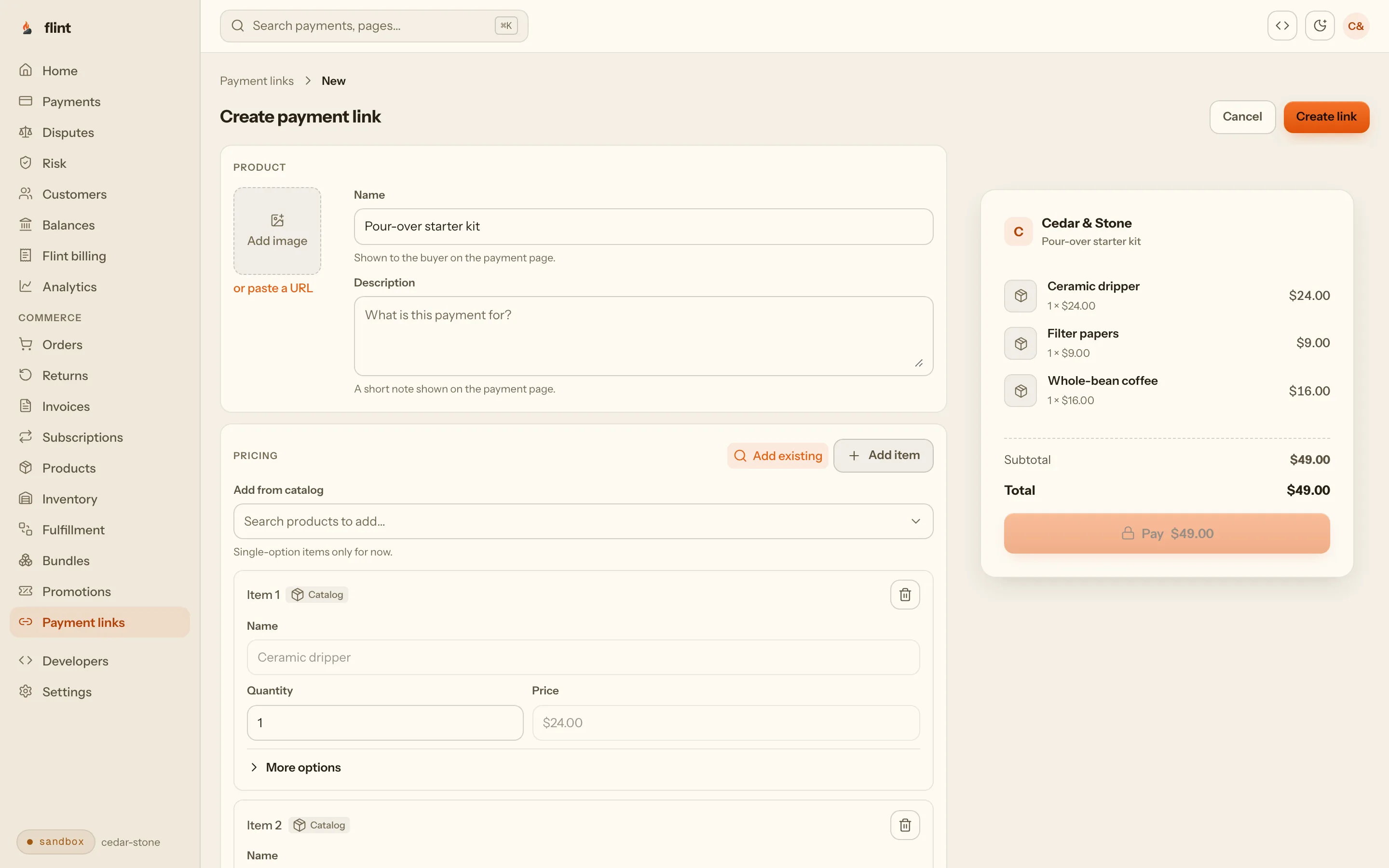
Colors, an image, payment methods, tips, tax, promotion codes, legal links, redirects, delivery, and a deadline are sections of one body. Name is the only required field, and a link with nothing else set already renders a complete page.
"theme": { "title": "Cedar & Stone", "accent_color": "#c8552b" }Your name on the page
Primary and accent colors, the page title, a product image, and a message on the order summary. Flint appears once, as Powered by flint.
- theme.accent_color
- image
"enabled_payment_options": ["card", "apple_pay", "google_pay"]The ways to pay you choose
Name the payment options for this link, add a note beside the pay button, and decide whether the page asks for an email and autocompletes the address.
- payments.enabled_payment_options
"tip": { "enabled": true, "tip_percent_options": [10, 15, 20] }Tips, tax, and codes
Percent presets with a default, tax computed on the order, and promotion codes entered on the page, all priced by the server so the amount on the button is the amount that settles.
- tip.tip_percent_options
- tax.enabled
"legal": { "require_terms_of_service": true }Terms, redirects, delivery
Policy links with an optional hard terms gate, where buyers go after paying or backing out, and the delivery methods the page offers.
- legal.require_terms_of_service
- redirects
{
  "name": "Single-origin sampler",
  "description": "Three 4 oz bags, roasted this week",
  "image": {
    "source_url": "https://example.com/sampler.jpg",
    "alt": "Sampler box"
  },
  "theme": {
    "title": "Cedar & Stone",
    "primary_color": "#2b2622",
    "accent_color": "#c8552b"
  },
  "custom_text": { "order_summary_message": "Ships Monday" },
  "payments": {
    "enabled_payment_options": ["card", "apple_pay", "google_pay"],
    "payment_note": "Roasted to order"
  },
  "customer_collection": {
    "require_email": true,
    "enable_address_autocomplete": true
  },
  "tip": {
    "enabled": true,
    "tip_percent_options": [10, 15, 20],
    "default_tip_percent": 15
  },
  "tax": { "enabled": true },
  "promotion_config": {
    "automatic_enabled": true,
    "codes_enabled": true
  },
  "legal": {
    "terms_of_service_url": "https://example.com/terms",
    "refund_policy_url": "https://example.com/refunds",
    "require_terms_of_service": true
  },
  "redirects": {
    "success_redirect_url": "https://example.com/thanks",
    "cancel_redirect_url": "https://example.com/shop"
  },
  "expiration": { "expires_in_seconds": 1800 },
  "delivery_method_ids": ["dmet_1kmn0aExample"],
  "metadata": { "campaign": "fall_sampler" }
}
Every section here is optional. Send the ones you care about and the page renders the rest.
Change a live link. Keep the URL.
The URL you printed never changes. Every edit applies to the next buyer who opens the page. A buyer who already started checkout keeps the prices and configuration they saw, so a price change mid-campaign never surprises anyone halfway through paying.
For a clean boundary between two offers, create the new link and deactivate the old one. The old URL then shows your message, not the new price.
curl -X PATCH \
  https://api.withflintpay.com/v1/payment-links/pl_1kmn0aExample \
  -H "Authorization: Bearer YOUR_API_KEY" \
  -H "Content-Type: application/json" \
  -d '{ "expected_version": 3, "description": "Final week", "max_completions": 250 }'
The current version is the write fence, so two edits cannot cross. Line items and custom fields are replaced in the same call and commit with it.
- expected_version
- version
- url
Every section of the create body
- description
- image
- theme
- custom_text
- payments
- customer_collection
- tip
- tax
- promotion_config
- legal
- redirects
- expiration
- delivery_method_ids
- metadata
07Proof
What you stop building.
The link knows what it is selling, so donations, tickets, and signups are types rather than workarounds.
payment_link_typeBuyers can move the price and the quantity, and cannot move either past your bounds.
min_unit_price_moneyA limited drop stops at the limit, counting checkouts already in flight.
max_completionsAn event never oversells, because the seat is held when payment starts.
max_total_quantityA retired link explains itself in your words instead of erroring.
inactive_messageThe buyer's side needs no API key, so a printed code works with nothing running behind it.
POST /v1/payment-links/{payment_link_id}/resolveEvery buyer leaves a real order, filterable by where it came from and tagged with your metadata.
origin=payment_linkA live link takes edits without changing its URL, and buyers mid-checkout keep what they saw.
expected_versionreviewed 2026-09-15 against the payment links guide · corrections: Flint Help
08Start
Selling in one call.
Node
CLI
Create a link with a sandbox key, open its URL, and pay with 4242 4242 4242 4242 and any future expiry. Then set max_completions to 1, pay it again, and watch the second buyer get told the drop is over. That is the whole product, in about five minutes.
Then read these
- 01
- 02
- 03
- 04
- 05
Skip the wait: npm install -g @flintpay/cli && flint signup creates your account and a sandbox key from the terminal. CLI guide
FAQ
Questions worth asking first.
What can a payment link sell?
Four things, from one endpoint. A standard link sells products at a price, ad hoc or straight from your catalog by variant or bundle id. A donation link shows an amount picker with your suggested amounts and a floor. An event link sells ticket tiers against one shared capacity, with the date and venue on the page and numbered tickets emailed to the buyer. Passing subscription_plan_id instead of line items makes the link a hosted subscription signup.
Do I need a website?
No. A link is a URL, and the buyer’s side of it needs no API key and nothing of yours running. Put it in a bio, a text, an email, or a QR code on a poster, and every buyer who opens it gets a checkout under your name. You can create the link in the dashboard without writing any code at all.
What happens after someone pays?
Every completed checkout creates its own order, with origin set to payment_link, the link's metadata copied onto it, and the buyer's custom field answers on it. Refunds, receipts, webhooks, and analytics work on it the same way they work on every other order, because it is one. List them with GET /v1/orders and origin=payment_link, or list every checkout one link generated with GET /v1/checkout-sessions and payment_link_id.
Can buyers change the price or the quantity?
Only inside bounds you set. allow_quantity_adjustment with min_quantity and max_quantity lets a buyer pick how many within your range, and on an event link a buyer can skip a ticket tier entirely. allow_unit_price_adjustment with min_unit_price_money and max_unit_price_money lets them pick what to pay, and suggested_unit_price_money_options gives them amounts to click. That is pay-what-you-want and tiered giving with a floor nobody can go under.
How do I stop a link, or cap it?
Deactivate it and the URL keeps working: buyers read your inactive_message instead of an error, and reactivating turns the same link back on. max_completions caps how many checkouts can complete, counting the ones in flight, so a burst of simultaneous buyers cannot overshoot a limited drop. An event's max_total_quantity caps tickets across every tier. expires_in_seconds bounds how long one buyer's checkout stays open, and expiration_url is where a latecomer lands.
Can I change a link after I have shared it?
Yes. Edit the name, description, theme, payment methods, redirects, metadata, caps, line items, and custom fields with a PATCH, sending the link's current version as expected_version. The URL never changes. Edits apply to every checkout resolved after the change, and a buyer who already opened checkout keeps the prices and configuration they saw.
Are tickets real tickets?
Yes. An event link enforces max_total_quantity across all tiers, and the capacity hold is taken when payment starts, so a tab left open cannot hold a seat that someone else paid for. Buyers land on a ticket confirmation page, and with send_ticket_emails the tickets are emailed too. ticket_prefix brands the numbers, so CUP yields tickets like CUP042.