
Fire department fundraising
Sell every plate, ticket, and donation from one link.
Volunteer fire companies, auxiliaries, and firefighter associations make one Flint link per event and share it by text, on Facebook, or as a QR code on a flyer or the station sign. Neighbors pay by card, Apple Pay, or Google Pay from their phones. Every ticket is numbered, sales stop when the event is full, and the treasurer sees exactly who paid.
The receipt lists every ticket number, so the buyer always has a copy.
One link per event
Breakfast, BBQ, raffle night, and the fund drive each get their own page and their own sales.
Numbered tickets
On the confirmation page, on every receipt, and by email if you turn it on.
No monthly fee
3.79% + 35¢ per card payment. No setup fee and nothing to rent.
01Your calendar
Every fundraiser on the calendar gets its own link.
Make a link for each event, and its page, its ticket count, and its sales stay separate from the others. Next year, make a new one.
Pancake breakfast
Adult and child tickets on one link, with the date, time, and station on the page and a number on every ticket.
Chicken BBQ
Sell exactly as many dinners as you cook. The page counts down near the end and closes itself at the limit.
Raffle night
Gun-and-ham, calendar, or 50/50 raffles for fundraising, once your account is approved for raffles and your license is in place.
Boot drive
Put the QR code on a sign beside the boot, so drivers without cash can give by card or phone.
Open house
Sell T-shirts, hot dogs, or smoke detector kits from a link, with how many each buyer can pick.
Annual fund drive
Suggested amounts with a minimum, on a link you can print in the mailer and post all year.
02Share it
Wherever your town already looks.
A link is a web address, so it goes anywhere you can paste or print one. Nobody has to download an app or make an account to pay.
By text
Copy the link, or a ready-made message with the event name and the link, and send it to your members' group text or phone tree.
On paper
Download the link's QR code as an image for the flyer at the diner, the mailer, or the sign out front of the station.
On Facebook
Paste the link into a post or an event on your company's page, and every share carries it.
03Tickets
The door list keeps itself.
An event link sells tickets against the number of seats or dinners you have, and handles the parts that usually fall to whoever is holding the cash box.
The when and where are on the page. Buyers see the date, the time in your time zone, and the venue before they pay, and again on their tickets.
Every ticket has a number. Buyers see their numbers on the confirmation page right after paying, every receipt lists them, and Flint can email the tickets as well. Checkout always asks event buyers for an email, so you have a way to reach each one.
You never sell more than you cook. Set a limit across all ticket types. Once 20 or fewer are left, the page says how many. When they are gone, the link shows a sold out page instead of taking more money.
Sales close at the doors. Ticket sales stop when the event starts, or at a time you choose, like the night before so the kitchen has a final count.
A refund frees the seat. Refund an order in full and its seats go back on sale and its tickets are marked void. Ticket numbers are never reused, so a refunded ticket can't be mistaken for a new one at the door.
04Fund drive
Let them give what they can.
For the annual drive, let each donor choose the amount. Offer suggested amounts as one-tap buttons and set a minimum, and the same link works in the mailer, on the website, and on Facebook all year.
Every gift lands on a list. Each payment becomes an order in your dashboard, so thank-you letters start from a list instead of a shoebox of checks.
Change the page, keep the link. Update the name or the description mid-drive, and the address you printed keeps working.
Close it with your own words. Turn the link off when the drive ends, and anyone who opens it reads your message, such as a thank-you and the total raised, instead of an error.
05The treasurer
Every dollar, by event, by name.
Each link has its own Sales panel in the dashboard: what it collected, what was refunded, how many tickets sold, and who bought them.
One panel per event
Collected and refunded totals, ticket count, and each buyer and order, on the link's own page in the dashboard.
Every order, filtered by event
View in Orders opens every order the link brought in, with the rest of the Orders filters still available.
Ready for the books
Select orders and export them as a CSV file for your spreadsheet, the monthly meeting, or the annual report.
06Raffles
Raffles, done the approved way.
Gun-and-ham nights, calendar raffles, and 50/50s raise real money for a lot of companies. They also come with conditions: an approved account, a license where your state requires one, and your own drawing rules.
Fundraising raffles are supported once your account is approved. Flint processes cards through Stripe, which does not allow lotteries. Stripe’s restricted businesses list does support charity raffles held to raise money in the United States, after Stripe reviews and approves the account. Approval is not guaranteed.
Ask before your first raffle. Contact us on Flint Help before you sell a single chance, so the review is done before your tickets go on sale, not after the money comes in.
Your license, your rules. Many states and counties require a raffle license and set rules for prizes and drawings. Your company is responsible for those, so check with your state and local officials before the drawing.
07Setting it up
What you need, and what it costs.
In the dashboard
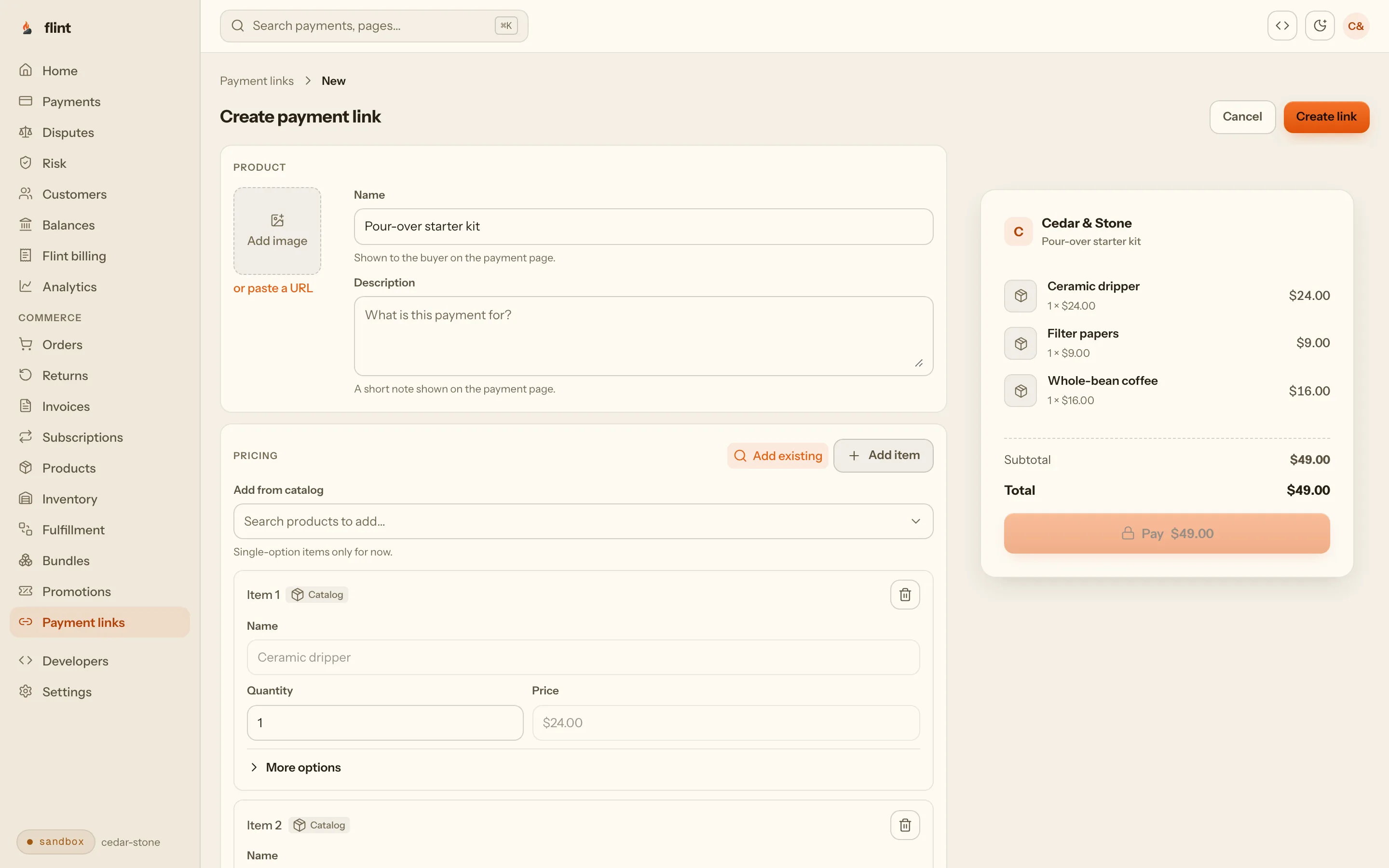
Pick an event, a donation, or a plain sale. Name it, set the prices, and copy the link or download its QR code when you are done. No website or developer needed.
Ticketed events
Set the date, the venue, your ticket types, and how many seats you have. Flint numbers each ticket, emails it to the buyer, and closes sales when the event starts. Change the venue or add seats later from the same page.
The price
3.79% + 35¢ per card payment, with no monthly fee and no setup fee. On a $30.00 breakfast order, that is $1.49.
08Start
Put your next fundraiser on a link.
Sign up, make a link for your next breakfast or BBQ, and send it to your own phone first to see exactly what your neighbors will see.
3.79% + 35¢ on cards · no monthly fee · free sandbox · no credit card
Then read these
- 01Payment linksEverything a link can sell, and how it works.
- 02PricingEvery rate, published.
- 03Payment links guideFor the member who sets up event links.
FAQ
Questions fire companies ask first.
Do we need a website to sell fundraiser tickets?
No. A Flint payment link is its own page. Text it, post it on Facebook, or print its QR code on a flyer or the station sign, and anyone who opens it can pay by card, Apple Pay, or Google Pay. Nothing needs to run on your side.
How do buyers prove they bought a ticket at the door?
Every ticket gets a number, like MHF041. Buyers see their numbers on the confirmation page right after paying, every receipt lists them, and you can have Flint email the tickets too. Check names or numbers against the Sales panel at the door.
What happens when the chicken BBQ sells out?
Set a ticket limit and the page counts down once 20 or fewer are left. When the last ticket sells, the link shows a sold out page instead of taking more money, and tickets held by a payment in progress count against the limit, so two buyers can't get the last seat.
Can we refund someone who can't make it?
Yes, from the dashboard. When an order is refunded in full, its seats go back on sale and its tickets are marked void. The next buyer gets a new ticket number, so a refunded number never comes back.
Can we sell raffle tickets with Flint?
Fundraising raffles, yes, once your account is approved for them. Flint processes cards through Stripe, which does not allow lotteries but supports charity raffles held to raise money in the United States after it reviews the account. Approval is not guaranteed. Contact us before your first raffle so the review happens before tickets go on sale. Your company is responsible for any state or local raffle license and the rules that come with it.
How does the treasurer see what came in?
Each link has its own Sales panel: what it collected, what was refunded, tickets sold, and who bought. View in Orders opens every order from that link, and you can export the orders you select as a CSV file for your books or your annual report.
What does it cost?
3.79% + 35¢ per card payment, with no monthly fee and no setup fee. On a $30.00 breakfast order, that is $1.49. The sandbox for trying links out is free.