
Preorders with local pickup
Take paid preorders for pickup day, and stop at what you can make.
Bakeries, cottage food sellers, farm stands, butchers, and market vendors make a Flint payment link for each preorder and share it on Instagram, by text, or as a QR code. Buyers pay in full when they order and choose pickup at your place. Flint stops selling at the number you set, emails a receipt, tells each buyer when their order is ready, and gives you the list for the day.
Paid when they order
No form rows to match against payments, and no pies baked for people who never paid.
Capped at what you can make
Set a stock count in the dashboard and Flint holds each pie as it's paid for, so a rush can't oversell.
No monthly fee
3.79% + 35¢ per card payment. No setup fee and nothing to rent.
01Forms and Venmo
Why a Google Form and Venmo fall apart on a big drop.
A form plus a payment app works for ten loaves among friends. At a hundred pies, the form and the money live in two places, and you are the only thing connecting them.
The form doesn't take the money
A form response is a promise, not a payment. You match Venmo names to form rows by hand, chase the people who never paid, and bake for some of them anyway.
It counts responses, not pies
Google Forms can stop taking responses at a limit you set, but one response might be three pies. Google also says the form accepts responses past the limit when several people submit at the same time, which is what happens the minute a holiday drop opens.
Your personal Venmo isn't for sales
Venmo's user agreement says personal accounts may not be used for business transactions unless the payment is marked as goods and services or sent to a business profile.
Nobody gets a real receipt
A Venmo note says what someone typed, not what they ordered or when to come. The order lives in your spreadsheet, and the customer has to ask you.
Cancellations are bookkeeping
Someone cancels, you send money back by hand, find their row, fix the count, and hope the form is still closed or reopen it for one more pie.
Pickup day starts with a spreadsheet
Sorting rows by day, checking who paid, and printing the list happens the night before, when you should be baking.
02On Flint
One link takes the order, the money, and the pickup choice.
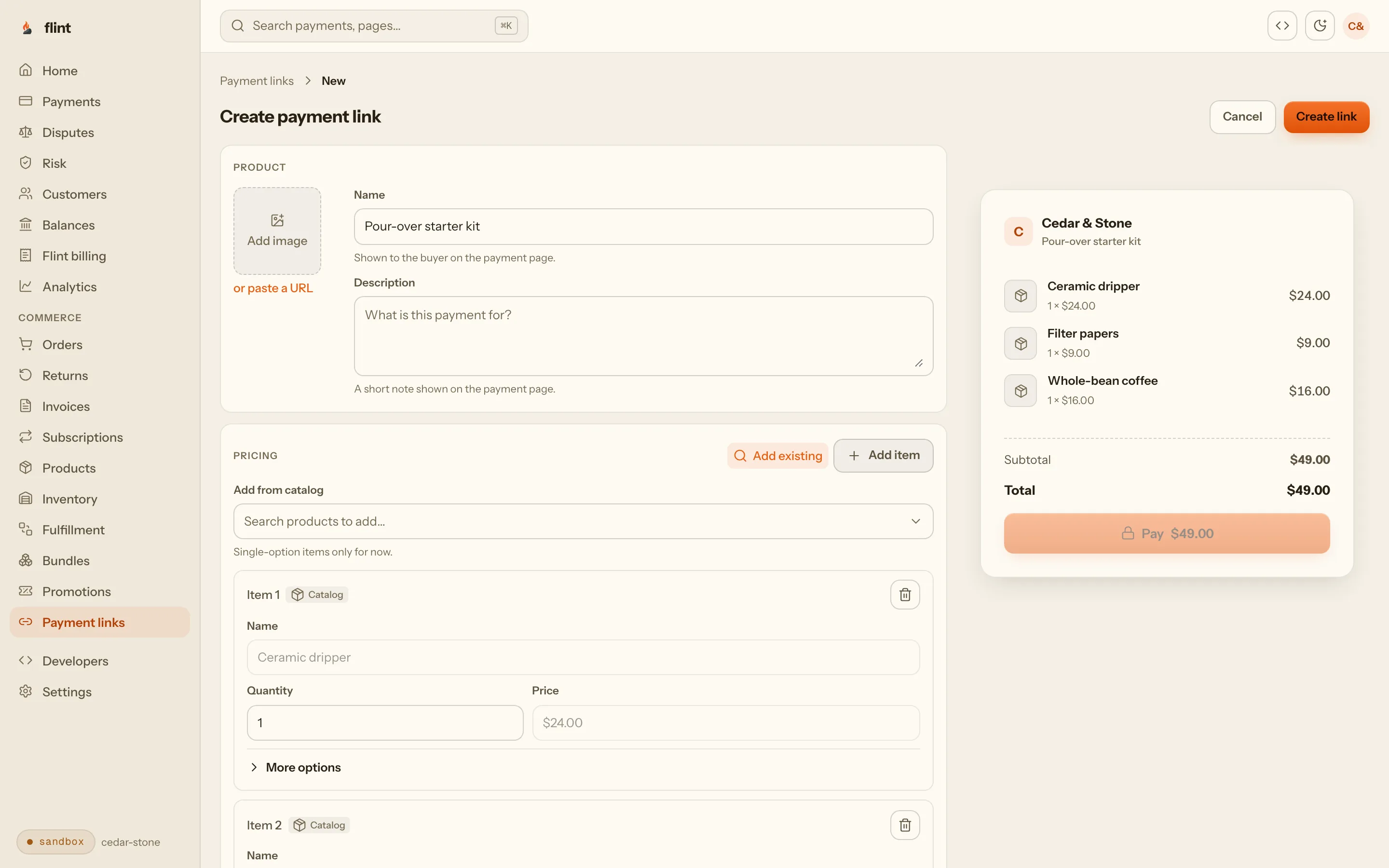
A Flint preorder link sells items from your catalog and offers pickup at your place on the checkout page. Each payment becomes an order, with what was bought, who bought it, and where they're collecting it.
Paid in full up front. Buyers pay by card, Apple Pay, or Google Pay before the order exists, so every order on your list is a paid one.
Stops at your number. Set a limit on payments and the link stops taking orders when it’s reached, counted as each payment happens, so a rush can’t oversell. Want an exact item count instead? Turn on stock tracking for the product in the dashboard. The link holds the item the moment a buyer pays, and when the count runs out the link shows a sold out page before any money moves.
Limits per buyer. Let buyers choose a quantity between a minimum and a maximum, such as one or two pies each, so one person can’t take half the batch.
Pickup, not shipping. Buyers choose pickup at your place instead of typing a shipping address, and see your instructions before they pay. For weekly pickups, they can choose the day too.
Receipts and a ready email. Flint emails a receipt when they pay and a ready-for-pickup email when you mark the order ready.
03Worked example
120 Thanksgiving pies over two pickup days, with every fee.
Larkspur Bakehouse bakes 60 pumpkin pies a day and sells them for $34.00 each, for pickup on Tuesday, Nov 24 (noon to 6 PM) and Wednesday, Nov 25 (8 AM to 1 PM). It posts both links on Instagram on November 1.
| Setting | What Larkspur Bakehouse chose | Value |
|---|---|---|
| Products | Pumpkin pie, Tuesday pickup · Pumpkin pie, Wednesday pickup | $34.00 each |
| Stock | One count per product, at the bakery | 60 + 60 = 120 pies |
| Links | One per pickup day, with the day and hours in its name, selling from the bakery's stock | 2 links |
| Per order | Let the buyer choose the quantity | 1 to 2 pies |
| Pickup option | In store at 418 Alder St, with instructions | Free |
| Orders close | Turn each link off the night before, with your own message | Your call |
Two links, two counts. The Tuesday link sells “Pumpkin pie, Tuesday pickup” and the Wednesday link sells the Wednesday product, each with 60 in stock. The bakery set both counts and made both links in the dashboard in one sitting. When Tuesday sells out, its link shows a sold out page and Wednesday keeps selling.
The rush is safe. If 30 people open the Tuesday link the minute it goes up, Flint holds the pies for each payment as it happens. A payment that would take pie number 61 doesn’t go through, so there’s no extra pie to refund or apologize for.
Where the money goes. On each day, 20 buyers take one pie and 20 take two, which sells exactly 60. Every payment pays Flint’s card rate of 3.79% + 35¢, with nothing monthly on top:
| Orders | Count | Each pays | Flint fee each | Flint fees |
|---|---|---|---|---|
| One-pie orders | 40 | $34.00 | $1.64 | $65.60 |
| Two-pie orders | 40 | $68.00 | $2.93 | $117.20 |
| Both days | 80 | $4,080.00 | $182.80 |
Sales
$4,080.00 from 80 paid orders and 120 pies.
Flint fees
$182.80 in card fees, about 4.5% of sales. No monthly or setup fee.
You keep
$3,897.20, paid out to your bank account, with no unpaid orders to chase.
One cancellation. A Wednesday customer cancels two pies on November 20. You refund the $68.00 from the order page, Flint emails the refund receipt, and canceling the pickup puts both pies back in Wednesday’s stock for the next buyer. Refunds add no fee, and the original card fee is kept.
04Setting it up
From an empty account to a live preorder link.
Everything here is in the Flint dashboard, stock counts included. No code, and nothing to install.
1. Add your pickup place
In Locations, add your bakery, farm, or market stall with its address and time zone, and turn on filling orders there. Buyers can pick up only from places that fill orders.
2. Make a pickup option
Under Fulfillment, Delivery setup, add a pickup option at that place. Choose how buyers collect (in store, curbside, or other), set the price (usually free), and write what they should know, like which door to use.
3. Add what you're selling
In Products, add each item with its price and photo. For a holiday run, add one product per pickup day, so each day can have its own count.
4. Set how many you'll make
Open each product, choose Edit on its variant, then Track stock, and use Adjust stock to record the count at your pickup place. Change it any time in Inventory.
5. Make the preorder link
In Payment links, add the product, let buyers choose a quantity up to your limit, and pick your pickup option. Stock source is your pickup place, picked for you when it's your only one. Turn on collecting a phone number if you call people on pickup day.
6. Share it, then close it
Copy the link or download its QR code. When orders close, turn the link off, and anyone who opens it reads your message instead of an error.
Rather not count stock? Leave tracking off, and the payment limit and the quantity limit do the counting. With a limit of 30 payments and up to 2 pies each, a day never goes past 60 pies, though it can stop short when people buy one. A full refund frees that payment’s place for the next buyer.
Selling a whole menu? Each preorder link sells a fixed set of items, and every item on it is in each order. For a menu where buyers pick any mix, a developer or an AI website builder can put a cart on your site that sends buyers to the same Flint checkout with pickup. Developers who know Stripe can compare approaches in local pickup in Stripe Checkout.
05Pickup day
The list is ready before you are.
Every paid order is already in the dashboard with what was bought and who's coming for it.
The list for each day
Each link's Sales panel shows what it collected, what was refunded, and every buyer. View in Orders opens that link's orders, so one link per pickup day means one list per day.
Everything still to hand over
Fulfillment lists every pickup that hasn't gone out yet. Filter to pickup orders and to one location, then select the rows and export them as a CSV file to print.
Ready, then picked up
Mark an order ready and Flint emails the buyer that it's ready for pickup, with your address and instructions. Mark it complete when they collect it, and Flint emails them that too.
Cancellations
Refund an order in full or in part from the dashboard. A full refund frees its place under the payment limit, and on a stock-counted link, canceling its pickup puts the held stock back for the next buyer.
Ran short in the oven
If a pie burns, refund that part of the order and keep the rest. The buyer gets a refund receipt by email.
Ready for the books
Every order carries its items, payment, and refunds, so the season's totals come from one place instead of a payment app and a spreadsheet.
06Every week
Weekly pickups, with the day chosen at checkout.
Farm stands, bread clubs, butchers, and market vendors often have the same pickup hours every week. Give the pickup option those hours and buyers choose their day at checkout.
Your hours, not a calendar app. Pick the days you hand out orders, your open and close times, and your time zone, such as Saturdays from 8 AM to noon at the market.
Prep time. Set how much notice you need, and checkout stops offering a day once it’s too close to prepare for.
How far ahead. Choose how many days ahead buyers can book, from one day to a year, so this week’s link never takes orders for a market you haven’t planned.
More than one place. Add a second location, like the shop and the Saturday market, and buyers choose where to collect. Fulfillment filters each place’s pickups into its own list.
Sell on Instagram
Most preorder drops start with a post. See how to take payments from Instagram and DMs.
Custom cakes
For a wedding cake or a whole hog, take part now and the rest later. See deposits for custom orders.
Members and boxes
For regulars who pay every month, see memberships and subscription boxes.
07Start
Put your next preorder on a link.
Sign up, add your pickup place, and make a link for your next drop in the sandbox. Open it on your own phone first to see exactly what your customers will see.
3.79% + 35¢ on cards · no monthly fee · free sandbox · no credit card
Then read these
- 01Payment linksEverything a link can sell, and how it works.
- 02PricingEvery rate, published.
- 03Sell on InstagramLinks in your bio, stories, and DMs.
- 04Payment links guideFor whoever helps with your setup.
FAQ
Questions bakers and growers ask first.
Do I need a website to take preorders with Flint?
No. A Flint payment link is its own page. Put it in your Instagram bio, a Facebook post, a text to your regulars, or a QR code on the sign at your stand. Buyers pay by card, Apple Pay, or Google Pay and choose pickup at your place on the checkout page.
How do I stop orders at the number I can bake?
Track stock on the product in the dashboard: choose Track stock and record how many you'll bake, such as 60 pies. Flint holds the pies when each buyer pays, so a rush can't sell pie number 61, and once they are gone the link shows a sold out page before any money moves. You change counts in Inventory whenever you like. Without a count, give the link a limit on payments and a maximum per order: with a limit of 30 payments and up to 2 pies each, a day never goes past 60 pies.
Can buyers pick a pickup day or time?
Yes. Give your pickup option the days and hours you're open for pickup, a prep time, and how far ahead buyers can book, and checkout lists the days to choose from. Those times repeat every week, so they suit a Saturday market or a Friday bread pickup. For a one-off holiday weekend, make one link per pickup day and put the day in the link's name.
How do customers know when to come?
Your pickup instructions show at checkout, and Flint emails a receipt when they pay. When you mark the order ready, Flint emails them that it's ready for pickup, with your place, its address, and your instructions.
What happens when a customer cancels?
Refund the order from the dashboard, in full or any part of it, and Flint emails the refund receipt. A full refund frees that payment's place under the link's payment limit, and on a stock-counted link, canceling the order's pickup puts the pies held for it back into stock, so the next buyer can have them.
How do I see who is picking up on which day?
Each link has its own Sales panel with every buyer and what they paid, and View in Orders opens that link's orders. With one link per pickup day, that's your list for the day. The Fulfillment page lists every pickup still to hand over, filters by location, and exports the rows you select as a CSV file.
What does it cost?
3.79% + 35¢ per card payment, with no monthly fee and no setup fee. On a $34.00 pie that's $1.64. Refunds add no fee; the original processing fee is kept. The sandbox for trying it out is free.
Is pickup taxed at my address or the buyer's?
With automatic tax on, a pickup order is taxed at the place the buyer picks up from, not at their home address. Automatic tax is an optional add-on, and many states treat bakery and farm food differently, so check your own state's rules.
Sources
Where the outside facts come from.
Google Forms can stop taking responses at a limit you set, and accepts responses beyond that limit when several people respond at the same time. Google Docs Editors Help: View & manage form responses
support.google.comPersonal Venmo accounts may not be used for business transactions, except payments marked as goods and services or sent to a business profile. Venmo User Agreement
venmo.com
last reviewed 2026-10-27 · corrections: Flint Help