
Framer ecommerce
Add a store to your Framer site.
Framer builds the site, but it has no checkout of its own. Flint gives each product a checkout link you paste into any Framer button. Buyers pay by card, Apple Pay, or Google Pay, and every sale lands in your Flint dashboard as an order, with shipping or pickup, sales tax, a receipt, and returns. No code, no Shopify plan, and no monthly fee.

Paste a link
Any Framer button, text link, or CMS Link field can open a Flint checkout. Nothing to install.
An order, not a payment
Every sale is an order with its items, buyer, delivery choice, tax, receipt, and returns.
No monthly fee
3.79% + 35¢ per card payment. No plan, plugin, or setup fee.
01Framer and selling
Framer sites don't come with a checkout.
Framer's plans cover the CMS, hosting, and SEO. There's no product catalog, cart, or payment processing in any of them, so every Framer store is Framer plus something else.
Framer says so itself. Framer’s help center states that Framer does not process payments or handle transactions, and points sellers to a direct payment link from another service. Its Marketplace has an ecommerce category of third-party plugins that connect Shopify or Stripe.
So the question is what that something leaves you with. A bare payment link takes the money and stops there: who shipped what, what’s left in stock, and how a return gets refunded become your spreadsheet. A Shopify connection brings all of that, along with a second store and a monthly plan for a site you’ve already built.
Flint is the store behind your Framer site. Your pages stay in Framer, designed the way you want them. Each Buy button opens a Flint checkout, and each sale becomes an order you run from the Flint dashboard, with the commerce work handled and no monthly fee.
Framer keeps
Your design, pages, CMS, domain, and SEO. Nothing about your site has to move.
Flint runs
Checkout, orders, stock, shipping and pickup, sales tax, receipts, refunds, and returns.
They connect by
A link. The same URL works on a button, in your CMS, in an email, or in your Instagram bio.
02Setup
Six steps, no code.
Four happen in the Flint dashboard, one in the Framer editor, and the last is a test purchase. A shop with a handful of products can set it all up in an afternoon.
01 · Flint · Products
Add your products
Name, price, photo, and description for each thing you sell. Prices live on the product, so changing one updates every link that sells it.
02 · Flint · Fulfillment, Delivery setup
Choose how orders reach buyers
Add a shipping rate, pickup at your shop, or both. Buyers pick at checkout and enter an address only when their choice ships. The delivery options guide covers regions and free shipping over an amount.
03 · Flint · Settings, Tax
Turn on sales tax, if you collect it
Connect automatic tax and Flint calculates it at checkout from the buyer's address, for 0.50% of the payments it taxes. Tax is off until you turn it on.
04 · Flint · Payment links, New
Make a payment link
Add the product from your catalog, choose the delivery options the link offers, set the most per order, and turn on promotion codes if you run sales. For a product in sizes, choose Let buyers choose. If you track stock, the link stops when it runs out; if not, Limit number of payments caps it. Under After payment, choose Redirect to your site and enter your Framer thank-you page.
05 · Framer · the button's link
Paste it into Framer
Copy the link. In Framer, select your Buy button, press L to open its link control, and paste. On CMS product pages, add a Link field to the collection, paste each product's link into its item, and bind the button's link to that field.
06 · Flint sandbox, then live
Test it, then go live
Build it all in your free sandbox first and pay with a test card from your Framer preview. When the order, the receipt, and the redirect look right, make the live link and swap it in.
The checkout opens as its own page, on Flint’s domain or on yours with a custom domain, rather than inside a Framer Embed, so there is no script to paste or maintain. The payment links guide covers every setting a link has.
03What a sale leaves you
A payment link that runs the store.
A link from a payments-only service records that someone paid. A Flint link records an order and does the work around it, so you aren't rebuilding a back office in a spreadsheet.
The receipt goes to the buyer by email, with your store’s name and logo.
Orders
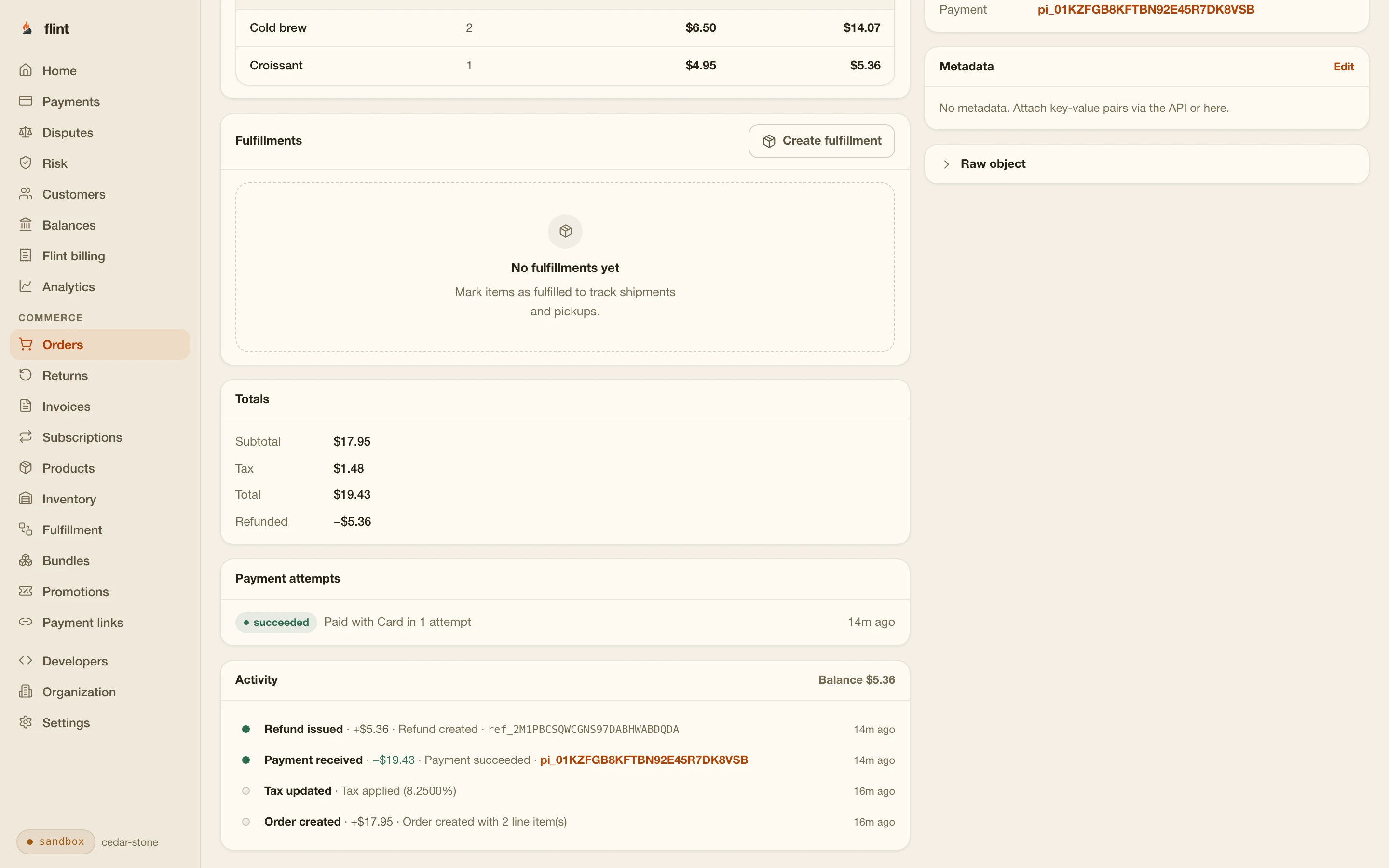
Each sale is an order with its items, buyer, delivery choice, and payment, in Orders. Filter what needs fulfilling and export to CSV.
Stock
Tracked stock is held when the buyer pays and committed when the payment succeeds, so two buyers can't both get the last one. Turn tracking on from the product page, and every link that sells it draws from the same count.
Shipping or pickup
Offer shipping rates, pickup at your shop, or both. The order shows what the buyer picked, and you add a tracking number when it ships.
Sales tax
Automatic tax at checkout once you connect it, for 0.50% of the payments it taxes. The buyer sees the full total before paying.
Receipts
Links collect the buyer's email by default, and Flint sends the receipt and order updates with your store's name and logo.
Refunds and returns
Refund one item from an order, or set a return policy and let buyers request returns from their account. Restocking is a choice you make on the return.
04Sizes and colors
Selling something that comes in sizes.
One product, one link, one Buy button on your Framer page. The buyer picks the size on Flint's checkout, and all of it is set up in the dashboard.
One link, the buyer chooses
Give Linen apron a Size option with S/M and L/XL, then Add variants sets a price, SKU, and stock count for each. On the link, choose Let buyers choose and tick the sizes to offer. Checkout shows a control for each option, a size that runs out shows Sold out, and the order says exactly which size sold.
Or a button per size
If your Framer page already shows size buttons, choose Sell one variant on each link instead and put each link behind its button. Every link still draws from that size's stock count.
05What needs code
Most of a store needs none.
Everything in the left column happens in the Flint dashboard and the Framer editor. The right column is for shops that want more, and it needs someone who writes code, or an AI coding assistant, because your Flint API key has to stay on a server and a Framer page can't hold it.
No code
Products, photos, and prices
Flint dashboard, Products
Sizes and colors, each with its own price and SKU
Add option, then Add variants, on the product page
Buyers pick a size on one link
Let buyers choose, under Variants on the link
Stock counts that drop with every sale
Track stock on the product, and the link sells from it
A checkout behind any Framer button or text link
Paste the payment link into the element's link control
One checkout per CMS product page
A Link field in the collection, bound to the button
Shipping rates and pickup
Fulfillment, Delivery setup
Sales tax
Settings, Tax
Discount codes
Promotions, then promotion codes on the link
Receipts, refunds by item, and returns
Automatic, and from each order in the dashboard
Checkout on your own domain, like shop.yourstudio.com
A custom domain, $15 a month, set up with a DNS record
Needs a developer or an AI assistant
A cart that collects products from several pages
A small server that holds your API key and starts the checkout
Taking the card on your own page instead of Flint's checkout
A server and Stripe Elements, following the headless checkout guide
For the right column, the payments for AI app builders page shows the prompts, and the headless checkout guide covers a checkout on your own page.
06Compared
Flint against the usual Framer workarounds.
Framer sellers usually wire in Shopify, paste a Stripe link, or install a checkout plugin. Here is what each costs before the first sale and what it leaves you running.
| Way to sell | What you pay | In Framer | What runs the store |
|---|---|---|---|
| Flint payment links | What you payNo monthly fee. 3.79% + 35¢ per card payment covers checkout, orders, stock, delivery, returns, and receipts. | In FramerA link on any button, or a Link field in your CMS | What runs the storeThe Flint dashboard: orders, stock, shipping and pickup, tax, receipts, refunds by item, and returns |
| Shopify Buy Button | What you payA Shopify plan. Basic is $39 a month, or $29 billed yearly. | In FramerShopify's embed code in a Framer Embed | What runs the storeA Shopify store, kept alongside your Framer site |
| Framer Commerce with Shopify | What you payA Shopify plan, plus the plugin: free for 25 products on a Framer domain with its badge, $16 a month on your own domain, $32 a month past 25 products. | In FramerShopify products synced into your Framer CMS | What runs the storeShopify, with a second subscription for the sync |
| Stripe Payment Links | What you payStripe's card fees. | In FramerA link on a button | What runs the storeShipping and stock records by hand from the Stripe Dashboard, or from server code you write |
| Checkout Page plugin | What you payFree up to $3,000 in sales a month, then from $29 a month, plus Stripe's card fees. | In FramerThe plugin's buy button component | What runs the storeThe plugin's service, with payments in your Stripe account |
Selling elsewhere too? The same Flint links work on Squarespace without a Commerce plan, in place of Webflow Ecommerce, and in Instagram posts and DMs, all landing in the same dashboard.
07The monthly math
What a $48.00 order costs to sell.
The studio sells its $48.00 dripper from its Framer site. Here is a month at three sizes, counting the plan and card fees on domestic cards and leaving tax and shipping out of both sides.
| Orders a month | Flint | Shopify Basic + Buy Button | Shopify Basic + Framer Commerce |
|---|---|---|---|
| 10 orders | Flint$21.70 | Shopify Basic + Buy Button$55.90 | Shopify Basic + Framer Commerce$71.90 |
| 30 orders | Flint$65.10 | Shopify Basic + Buy Button$89.70 | Shopify Basic + Framer Commerce$105.70 |
| 60 orders | Flint$130.20 | Shopify Basic + Buy Button$140.40 | Shopify Basic + Framer Commerce$156.40 |
Flint: 3.79% + 35¢ per order is $2.17 on $48.00, with no monthly fee. Checkout, orders, stock, delivery, receipts, and returns are included.
Shopify Basic: $39 a month on monthly billing, plus 2.90% + 30¢ on Shopify Payments, which is $1.69 on the same order. Adding Framer Commerce on your own domain adds $16 a month.
Billed yearly, Basic is $29 a month, and Flint still costs less at all three sizes. You also skip paying for a second storefront you’d never show anyone.
Start
Put a Buy button on your Framer site today.
Sign up, add one product in the sandbox, and paste its link into a draft of your Framer page. Buy it with a test card and see the order, the receipt, and the redirect back to your site before anything goes live.
3.79% + 35¢ on cards · no monthly fee · free sandbox · no credit card
Then read these
- 01Payment linksEverything a link can sell, from products to tickets.
- 02PricingEvery rate, published.
- 03Sell online with AILet an AI assistant set up products and links for you.
Sources
Where the outside facts come from.
Framer's site plans list the CMS, hosting, bandwidth, and SEO; none lists a cart, checkout, or payment processing. Framer pricing
www.framer.comFramer does not process payments or handle transactions, and points sellers to a direct payment link from a service such as Stripe or Gumroad. Framer Help: Accept payments in the Community
www.framer.comFramer's ecommerce plugin category lists third-party Shopify and Stripe integrations. Framer Marketplace: Ecommerce plugins
www.framer.comSelect an element, add a link from the properties panel or press L, and paste an external URL. Framer Academy: How to link pages
www.framer.comLink controls on a CMS page bind to the matching collection field. Framer Academy: CMS pages
www.framer.comBasic is $39 a month billed monthly, or $29 a month billed yearly, with online card rates of 2.90% + 30¢ on Shopify Payments. Shopify pricing
www.shopify.comThe Buy Button sales channel is included in all Shopify subscription plans, and Buy Button orders are tracked from the Shopify admin. Shopify Help: Buy Button
help.shopify.comFree for up to 25 products on Framer domains with a badge; $16 a month for a custom domain; $32 a month for up to 100 products, billed monthly. Its plans page lists a Shopify plan alongside. Framer Commerce pricing
www.framercommerce.comA free plan covering up to $3,000 in sales a month and paid plans from $29 a month, with payments through your own Stripe account. Checkout Page plugin for Framer
www.framer.comPayment Links use Checkout; you fulfill by hand from the Dashboard or with a function on your server that can trigger shipment and update inventory or stock records. Stripe docs: Fulfill orders
docs.stripe.com
last reviewed 2026-10-27 · corrections: Flint Help
FAQ
Questions Framer sellers ask first.
Does Framer have ecommerce built in?
No. Framer's site plans cover the CMS, hosting, and SEO, with no cart, checkout, or payment processing, and Framer's help center says Framer does not process payments or handle transactions. Selling from a Framer site means connecting a checkout from outside Framer. With Flint, that is a link on a button, and Flint runs the orders, stock, shipping, tax, receipts, and returns behind it.
How do I add a checkout to my Framer site without code?
Add your product in the Flint dashboard, make a payment link for it, and copy the link. In Framer, select your Buy button, open its link control (press L), and paste the link. Publish, and the button opens Flint's checkout. On CMS product pages, add a Link field to the collection and bind the button's link to it, so each product page opens its own checkout.
Do I need a Shopify plan to sell on Framer?
Not with Flint. Flint holds your products, stock, and orders itself and charges 3.79% + 35¢ per card payment with no monthly fee. The Shopify routes into Framer, the Buy Button and catalog sync plugins like Framer Commerce, all need a Shopify plan, and Shopify's Basic plan is $39 a month.
Can buyers put several products in one cart?
Not across separate links: each Flint link opens its own checkout. One link can sell several items together, like a set or a bundle, with quantities the buyer can change. A cart that collects products from different pages needs a small server that holds your Flint API key, because the key can't sit in a Framer page. A developer or an AI coding assistant can build that on Flint's checkout API.
Can I sell products with sizes or colors?
Yes, from the dashboard. On the product page, choose Add option for Size or Color, then Add variants to give each combination its own price, SKU, and stock count. Make one payment link for the product and choose Let buyers choose: buyers pick the size on Flint's checkout, and a size that runs out shows Sold out while the others keep selling. One Buy button on your Framer page is enough.
Does Flint keep my stock count when I sell by link?
Yes. Turn on stock tracking for the product in the dashboard and record how many you have. The link takes stock from your location, set for you when you have one, or picked under Stock source when you have several. Flint holds tracked stock when the buyer pays and commits it when the payment succeeds, so the last one can't sell twice, and when it's gone the link shows a sold out page.
How does the buyer get back to my Framer site after paying?
In the link's After payment setting, choose Redirect to your site and enter a page on your Framer site, such as /thank-you. Without it, Flint shows its own confirmation page. Links collect the buyer's email by default, so every buyer also gets a receipt by email.
Does Flint handle shipping, pickup, and sales tax?
Yes. Set up shipping rates and pickup at your shop under Fulfillment in the dashboard, and buyers pick one at checkout, entering an address only when the option ships. Automatic sales tax is calculated at checkout once you connect it in Settings, for 0.50% of the payments it calculates tax on. Flint doesn't buy shipping labels; you ship the parcel and add the tracking number to the order.
What does selling on Framer with Flint cost?
3.79% + 35¢ per card, Apple Pay, or Google Pay payment, with no monthly fee. On a $48.00 order, that is $2.17. Automatic tax adds 0.50% of the payments it taxes, and checkout on your own domain is $15 a month, both optional. Your Framer plan stays whatever it is today.
Can I try it before going live?
Yes. Every account starts with a free sandbox. Make your products and links there, paste a sandbox link into a draft of your Framer page, and pay with test cards to see the whole flow, receipt and order included. Then make the live link and swap it in.