
Sell on Facebook
Take payments from Facebook posts, groups, and Messenger.
Make a Flint payment link for what you're selling, post it on your Page or in a group, and send it as your Messenger reply. Buyers pay by card, Apple Pay, or Google Pay. Each link stops at the number you made, asks for an address or offers pickup, and turns every payment into an order with a receipt. You don't need a Shop or a website.
The receipt Flint emails the buyer, and the order you hand over at the market.
One link, every place
A post on your Page, a group, a Messenger reply, and the QR code on your flyer.
Stops at your count
Set how many you made of each. Payments in progress count, so the last one sells once.
No monthly fee
3.79% + 35¢ per card payment. No setup fee and no website to pay for.
01Where Facebook checkout stands
Facebook finds the buyer. The payment happens somewhere else.
Three things decide how a small seller gets paid from Facebook, as of November 2026.
Shops send buyers to your website
Meta’s Business Help Center says that as of September 2025, Shops on Facebook and Instagram use website checkout. Buyers browse the shop and finish on your own site. Without a site, a Flint link is a checkout page you can share instead.
Marketplace is for people, not shops
Meta’s Commerce Policies say Marketplace is intended for consumer-to-consumer sales. Its Purchase Protection doesn’t cover local pickups or payments arranged in Messenger.
Personal payment apps aren't for sales
Venmo’s user agreement bars personal accounts from taking payment for goods from people you don’t know, unless it’s marked as goods and services. PayPal’s user agreement says sellers must not ask for friends and family payments.
A payment link is the tool made for this. The buyer pays you as a business, on a page with your name, and you get an order with their contact and how the item reaches them, instead of a payment note and a Messenger thread to scroll back through.
02Where the link goes
Everywhere your buyers already see you on Facebook.
A link is a web address, so it works anywhere you can paste one. Buyers don't download anything or make an account to pay.
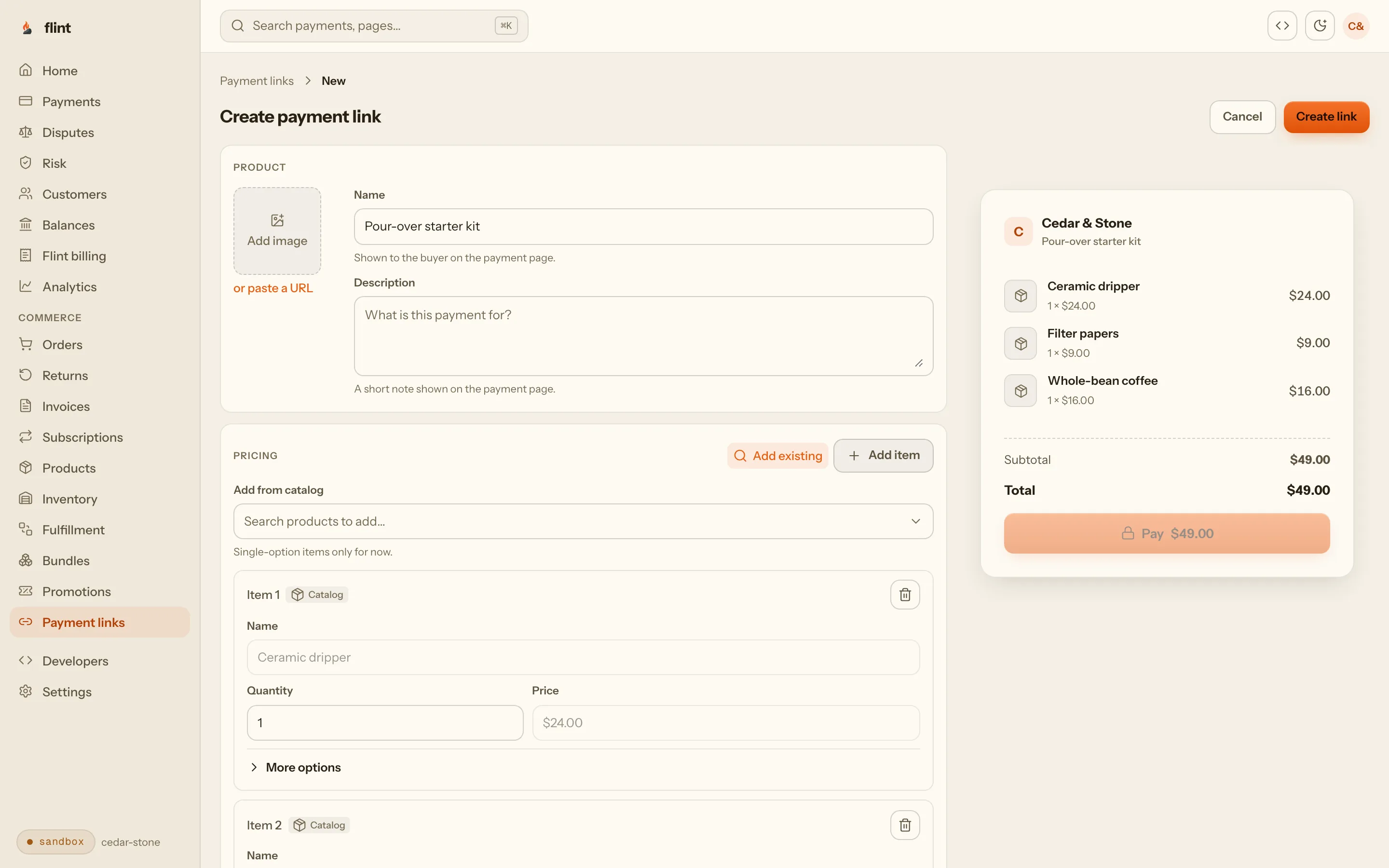
A post on your Page
Photos of the batch, the price, and the link in the text. Buyers tap it and land on checkout with the item already in place.
In a group
Local buy and sell groups, neighborhood groups, and groups for your craft. Read each group's rules before you post a sale, and use the same link everywhere.
In Messenger
Copy the ready-made message with the link's name and address, and paste it as your reply. It answers the question and takes the payment in one step.
On paper
Download the link's QR code for a flyer on the community board, your market table, or the card in every order you ship.
03Messenger
The answer to "Is this still available?" is the link.
Most sales on Facebook start as a message. The link turns the reply into the checkout.
Still available?
Reply with the link. If it's still selling, they pay in a minute. If it sold out, the link tells them, so you don't have to.
Something custom
Make a link for that one order: type a description and a price, and send it in the thread. For a bigger job, send a Flint invoice to their email with a due date and reminders.
A deposit to hold it
Hold a custom piece with a deposit link, then send the balance as a second link or an invoice. Take deposits online covers how.
04Stock
Sell exactly as many as you made.
A good post gets a rush of buyers at once. Each count stops on its own when the last one sells.
A count per variant. Turn on stock tracking for each scent, size, or color, and enter what you made. One link offers all of them, and a variant that runs out shows Sold out at checkout while the rest keep selling.
The last one sells once. Flint holds an item while a buyer pays, so two buyers paying in the same second can’t both get the final one. Nobody pays for something you then have to refund.
Or a limit on the link. For something without variants, set Limit number of payments to the number you have. Raise it later if you make more.
Sold at the market too? Record what sold at your table with Adjust stock, and the online count stays right.
Close it in your own words. After a sellout, turn the link off with an inactive message, like when the next batch is ready. The address stays the same, so the link in an old post shows your message, and you can turn it back on for a restock.
05Shipping and pickup
No more asking for addresses in Messenger.
Set up how buyers can get an order once, and every link offers those choices at checkout.
Shipping asks for the address. When a buyer picks shipping, checkout collects their address and adds your rate before they pay.
Pickup tells them where and when. Add a pickup option at your shop, porch, or market stall with your instructions. For pickup days with set collection times, read preorders with local pickup.
Tracking goes out for you. Mark a package shipped with its tracking number, and Flint emails the buyer the tracking link.
06Orders, receipts, refunds
Every payment is an order, not a comment to scroll back to.
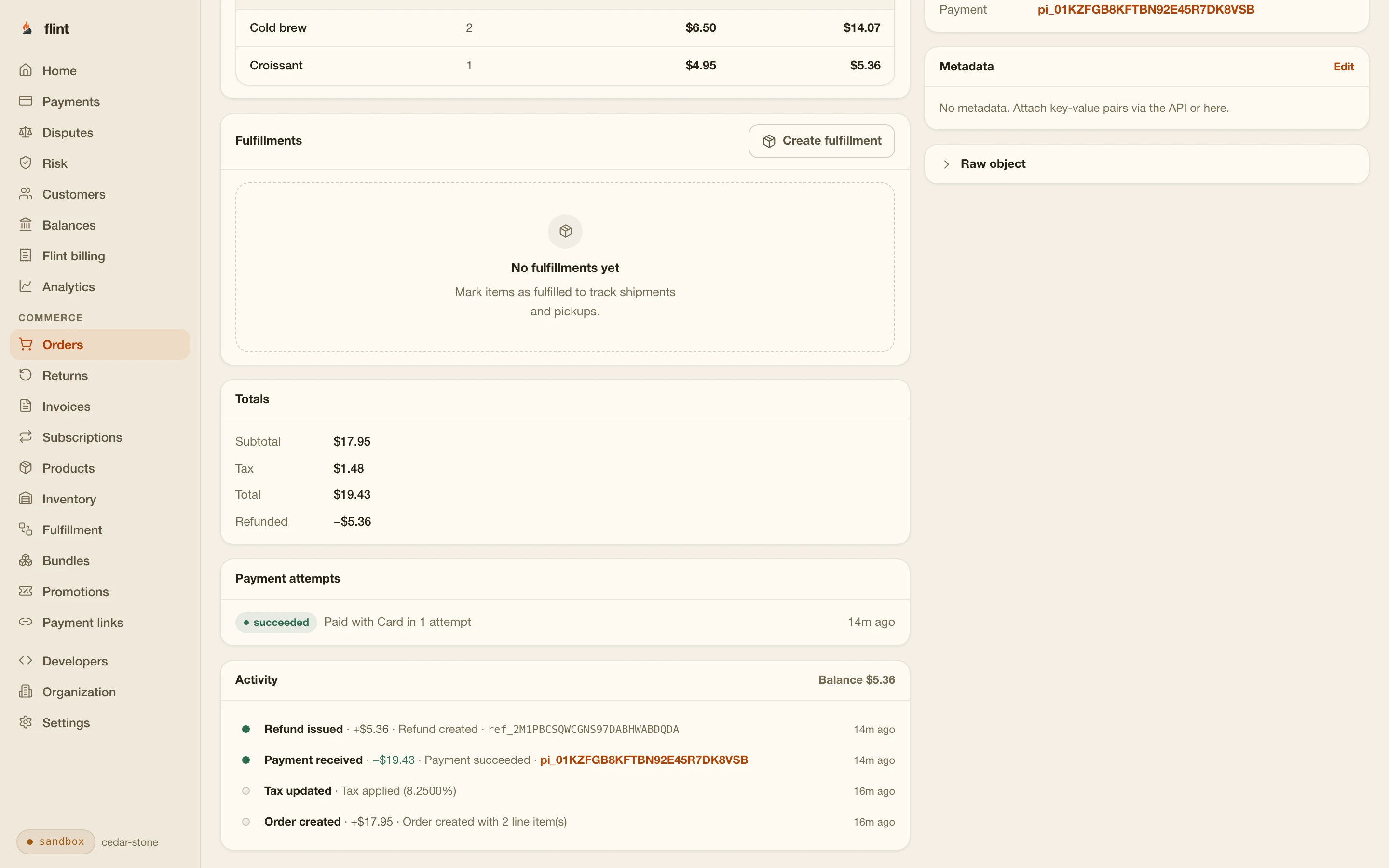
Flint records each payment as an order with the buyer's name and email, what they bought, how it reaches them, and what they paid.
One list per post
Each link's page shows what it collected and who bought. View in Orders lists that link's orders with every filter.
Ready for your books
Export orders as a CSV file for your spreadsheet, your bookkeeper, or tax time.
Receipts by email
Checkout asks for the buyer's email by default. Flint sends a receipt when they pay and another when you refund.
Refunds from the order
Refund the whole order or part of it, such as the item but not the shipping, and the order keeps the history.
07A batch, worked out
Juniper & Wick's holiday batch.
A one-person candle shop that sells on Facebook. 60 candles in two scents, $28.00 each, posted on a Sunday evening.
Saturday. One product with two scents, tracked at 36 Balsam and 24 Cider. Two delivery options: ship within the US for $7.00, or free pickup at the Saturday market. One link with both scents and both delivery options.
Sunday evening. A post on the shop’s Page with photos and the link, shared to two local groups whose rules allow sales. Messages asking about scents get the ready-made message as the reply.
By Wednesday. Cider sells out and shows Sold out on the link; Balsam keeps selling until it’s gone on Friday. The shop turns the link off with a note about spring scents.
The weekend. 22 orders to ship and 38 to pick up. The shop opens the link's orders, exports them for the market list, and marks the shipped boxes with tracking numbers.
| The batch, in dollars | ||
|---|---|---|
| 60 candles at $28.00 | $1,680.00 | |
| Shipping on 22 orders at $7.00 | $154.00 | |
| Collected from buyers | $1,834.00 | |
| Flint fees: 22 shipped orders at $1.68, 38 pickups at $1.41 | $90.54 | |
| Paid out to the shop's bank | $1,743.46 | |
08Setting it up
From sign-up to your first post.
Everything here is in the Flint dashboard. No website, developer, or code.
- 01
Add what you sell as products
In the Flint dashboard, open Products and create a product with its name and price. For scents, sizes, or colors, choose Add option, then Add variants, and turn on Track stock for these variants to count what you made of each.
- 02
Set your delivery options
Under Delivery setup, add a shipping option with your rate, a pickup option at your shop, porch, or market stall with your instructions, or both.
- 03
Make a payment link
Under Payment links, choose New and add the product. Choose Let buyers choose and tick the variants to offer. Pick the delivery options, and write an inactive message for when the batch sells out.
- 04
Post it on Facebook
Copy the link or the ready-made message. Put it in a post on your Page, in a group where the rules allow sales, and in your Messenger replies. Download the QR code for flyers and your market table.
- 05
Ship, hand over, and refund from Orders
Every payment is an order with the buyer's contact, the item, and how it reaches them. Add a tracking number when you ship and Flint emails it to the buyer. Refund all or part of an order from the same page.
Selling on Instagram as well? The same links work there: sell on Instagram covers bio links, Stories, and DMs. Selling seats for a class or a fundraiser dinner? Read event tickets.
09Compared
The Messenger routine, next to a link.
The same six jobs, done by hand in the thread or by the checkout.
| The job | A Flint payment link | Orders taken in Messenger, paid by Venmo or PayPal |
|---|---|---|
| Taking the order | The buyer taps the link in the post and pays. The order exists the moment they do. | You answer each comment and message, quote the price, and send your handle. |
| Not overselling | Each scent stops at its count, counting payments still in progress. | You count comments and hope two people don't pay for the last one. |
| Getting the address | Checkout asks for it when the buyer picks shipping. | You ask for it in Messenger and copy it out. |
| Pickup or shipping | The buyer picks one at checkout, and the order records it. | You agree on it in messages and note it somewhere. |
| Keeping track | Every payment is an order you can filter by link and export as a CSV file. | A spreadsheet or a notebook you fill in by hand. |
| Receipts and refunds | Flint emails a receipt when they pay and another when you refund all or part of an order. | The app's payment notice, and a refund you match to the spreadsheet by hand. |
10Pricing
What it costs.
Per payment
3.79% + 35¢ per card payment, including Apple Pay and Google Pay. On a $28.00 order that is $1.41.
Per month
No monthly fee, no setup fee, and no website or theme to pay for. Payment links, orders, receipts, and delivery options are included.
Refunds
Flint charges nothing to refund. The fee on the original payment isn't returned.
Every rate, including invoices and optional add-ons, is on the pricing page.
11Start
Put your next post on a link.
Sign up, add one product, and make its link. Send it to yourself in Messenger first to see exactly what your buyers will see, then post it.
3.79% + 35¢ on cards · no monthly fee · free sandbox · no credit card
Then read these
- 01Payment linksEverything a link can sell, and how it works.
- 02Preorders with local pickupTake orders ahead and hand them over on a set day.
- 03InvoicesFor a custom order agreed in Messenger.
- 04Payment links guideEvery option on a link, in detail.
Sources
Where the outside facts come from.
As of September 2025, Shops on Facebook and Instagram use website checkout: the shop still shows products, and customers are directed to the seller's own website to complete the purchase. About changes to Shops and checkout on Facebook and Instagram
www.facebook.comFacebook Marketplace is intended for consumer-to-consumer sales, and products offered on Meta's commerce services, including Marketplace and Shops, must comply with the Commerce Policies. Meta Commerce Policies
www.facebook.comPurchases made through third-party sites, local pickups, Messenger transactions, or other messaging services don't qualify for Marketplace Purchase Protection. How Purchase Protection works on Facebook Marketplace
www.facebook.comPersonal accounts may not be used to accept payment for goods or services from people you don't personally know, unless the payment is identified as goods and services or goes to a business profile. Venmo User Agreement
venmo.comSellers must not ask buyers to send money as a personal transaction (friends and family), and PayPal may remove an account's ability to accept those payments if they do. PayPal User Agreement (last updated November 4, 2026)
www.paypal.com
last reviewed 2026-11-21 · corrections: Flint Help
FAQ
Questions sellers ask first.
How do I take payments on Facebook without a Shop?
Make a Flint payment link for what you're selling and share it: in a post on your Page, in a group, or as your reply in Messenger. Buyers tap it and pay by card, Apple Pay, or Google Pay on a checkout page with your shop's name. Every payment becomes an order in your Flint dashboard, with the buyer's contact and how they want the item delivered. You don't need a Shop, a website, or any code.
Can buyers still check out inside a Facebook Shop?
No. Meta's Business Help Center says that as of September 2025, Shops on Facebook and Instagram use website checkout: the shop still shows your products, and customers are sent to your own website to complete the purchase. If you don't have a website, a Flint payment link is a checkout page you can share directly.
Can I sell my products on Facebook Marketplace?
Meta's Commerce Policies say Marketplace is intended for consumer-to-consumer sales, and that businesses selling there in the European Economic Area, the Philippines, and India may face restrictions. Meta's Purchase Protection doesn't cover purchases made through third-party sites, local pickups, or Messenger. For a business selling to its own followers, a post on your Page or in a group with a payment link keeps the sale, the order, and the receipt in one place.
What do I send when someone messages "Is this still available?"
Send the link. After you make it, Flint gives you a ready-made message with the link's name and address to paste into Messenger. If it has sold out, the link says so, or shows your own message if you've turned it off.
Is it OK to take payment on my personal Venmo or PayPal?
Read their terms first. Venmo's user agreement says personal accounts may not take payment for goods from people you don't personally know, unless the payment is marked as goods and services or goes to a business profile. PayPal's user agreement says sellers must not ask buyers to pay as friends and family, and PayPal may remove an account's ability to receive those payments.
How do I stop a post from selling more than I made?
Track stock for each variant with the count you made, or set Limit number of payments on the link. Flint counts payments that are in progress, so two buyers paying at the same moment can't both get the last one. When a variant runs out, checkout shows it as Sold out and the rest keep selling.
What does it cost?
3.79% + 35¢ per card payment, with no monthly fee and no setup fee. On a $28.00 candle collected at pickup, that is $1.41. Refunds cost nothing extra, though the original fee isn't returned.